Decluttering Gmail from My Phone with Antigravity and Headless Chrome
I hooked Gmail up to Antigravity to see what chatting directly with my inbox feels like. Five minutes later, from my phone, an agent was clicking through 20 marketing unsubscribe pages in headless Chrome while I did something else.
That is the kind of mundane automation where connected agents actually earn their keep.
Connecting Google Workspace
Antigravity’s Customizations marketplace now includes built-in Google Workspace integrations: Docs, Sheets, Slides, Drive, Calendar, and Gmail. Enabling Gmail takes a couple of taps and gives the agent the ability to search, read, draft, and send emails.
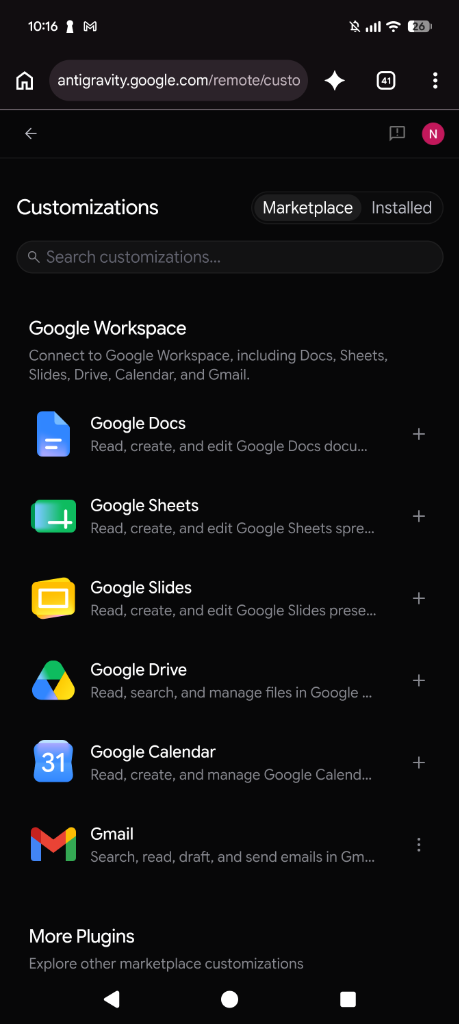
Once connected, the inbox becomes just another tool the agent can query in a normal conversation — including from mobile via antigravity.google.com/remote.
Step 1: Find the Noise
Instead of writing Gmail filters or scrolling through promotions, I started with a small test batch of 20 senders:
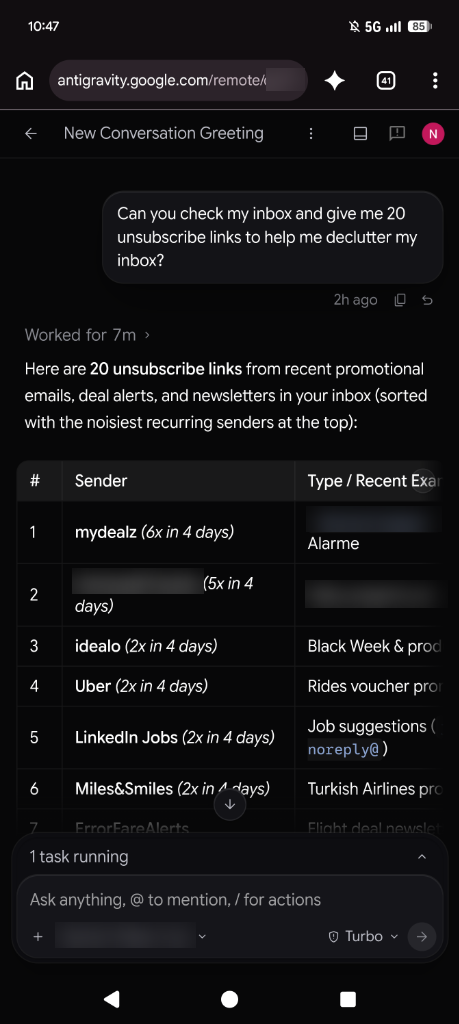
“Can you check my inbox and give me 20 unsubscribe links to help me declutter my inbox?”
The agent scanned recent promotional emails, deal alerts, and newsletters, ranked them by frequency, and came back with a table of the noisiest recurring senders — deal alerts firing six times in four days, Black Week promos, ride vouchers, job suggestions, and flight-deal newsletters — each paired with its unsubscribe link.
20 was just a quick sanity check to see how well it worked; nothing stops you from scaling the same prompt to 50 or 100 senders once you trust the output.
Step 2: Hand Off the Clicks
Looking at a list of 20 links on a phone screen is useful, but still tedious to tap through. So the follow-up was obvious:
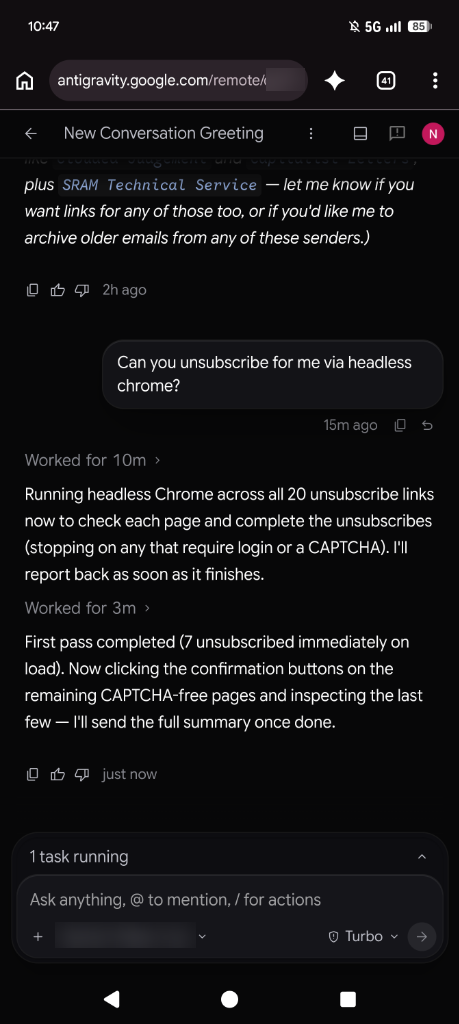
“Can you unsubscribe for me via headless chrome?”
The agent took all 20 links and ran headless Chrome across them in passes:
- First pass: 7 lists unsubscribed immediately on page load.
- Second pass: Clicked confirmation buttons on the remaining CAPTCHA-free pages.
- Guardrail: Stopped automatically on any page requiring a login or a CAPTCHA rather than getting stuck in a loop.
Why This Works
None of the pieces here are exotic — Gmail API access and headless Chrome have existed for years. The difference is combining them in one remote chat loop:
- Read context directly from Gmail without exporting anything.
- Triage what is actually noisy instead of guessing.
- Act in a real browser so JavaScript-heavy preference centers and confirmation buttons still work.
There is an obvious caveat, too: giving an agent access to Gmail and a browser means being deliberate about what you ask it to touch. Keeping it scoped to read-only inbox triage plus explicit, low-risk actions — and letting it stop at logins and CAPTCHAs — is a sensible boundary.
As a quick test of the Google Workspace integration, though, turning an annoying inbox chore into two short messages from my phone was hard to beat.
The views and opinions expressed here are my own and do not reflect those of my employer.